Lucky Hills Slots – Practical Guide for Canadian Players
Getting Started – Registration and First Steps
First time you land on the Lucky Hills homepage, you’ll notice a clean sign‑up button in the top right corner. Click it, fill in your name, email and a strong password – the form is straightforward, but remember to use the same email you’ll use for future verification. After you submit, Lucky Hills will send a confirmation link; you must click it within 24 hours or the account will be suspended. Once confirmed, you can log in and set your preferred currency to Canadian dollars, which makes all later calculations easier.
Most Canadian users ask about the KYC (Know‑Your‑Customer) step right after registration. You’ll be asked to upload a government‑issued ID and a recent utility bill – this is standard for licensed Canadian‑friendly casinos and it protects both you and the operator. The verification usually finishes within one business day, though peak times can stretch it to two. If you run into trouble, the support chat can walk you through the exact file format requirements.
Bonuses and Promotions – What to Expect
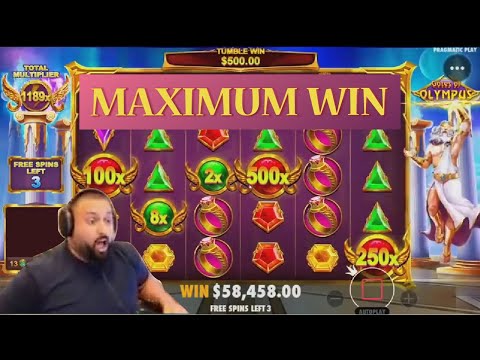
The welcome package at Lucky Hills is built around slots, with a 100 % match bonus up to CAD 200 plus 50 free spins on a selected slot game. The match bonus carries a 30x wagering requirement, which is fairly typical for Canadian online casinos; you’ll need to gamble CAD 6,000 if you claim the full amount. Free spins usually come with a lower requirement, often 20x, and they are limited to the featured slot – in this case, the popular “Gates of Olympus”.
Beyond the initial offer, Lucky Hills runs weekly reload bonuses, cash‑back on slot losses, and a loyalty program that awards points for every wager. Points can be exchanged for bonus credit or tournament entries, giving you more chances to play without additional deposits. For a concise overview of the current promotions, check the “Bonuses” tab after you log in. You can also read more about the lucky hills casino bonus on the dedicated review page.
Payment Methods – Deposits and Withdrawals in Canada
Depositing at Lucky Hills is easy for Canadians because the casino supports Interac e‑Transfer, credit cards (Visa, Mastercard) and several e‑wallets such as Skrill and Neteller. Interac is the fastest; funds appear in your casino balance almost instantly, which is handy if you want to jump straight into a slot session. Credit card deposits are also quick, but some banks may flag gambling transactions – you can usually avoid this by contacting your card issuer first.
Withdrawals follow a similar menu, but the speed varies. Interac withdrawals are processed within 24 hours, while e‑wallet payouts can be as fast as a few minutes once approved. Credit‑card withdrawals often take 2‑5 business days because the casino needs to confirm the request through the issuing bank. Below is a quick comparison of the most common methods.
| Method | Deposit Speed | Withdrawal Speed | Fees (CAD) |
|---|---|---|---|
| Interac e‑Transfer | Instant | 24 hours | None |
| Credit / Debit Card | Instant | 2‑5 days | Up to 2 % |
| Skrill / Neteller | Instant | Few minutes‑1 hour | None |
Game Selection – Lucky Hills Slots Overview
Lucky Hills hosts a library of over 1,200 slot titles from providers like NetEnt, Pragmatic Play and Blueprint Gaming. The collection ranges from classic three‑reel fruit machines to high‑volatility video slots with complex bonus rounds. Each game lists its RTP (Return to Player) – most slots sit between 95 % and 97 %, while a few premium titles push above 98 %.
If you’re new to slots, start with medium‑volatility games such as “Starburst” or “Book of Dead”. They give a balanced mix of frequent small wins and occasional bigger payouts, which helps you stretch your bankroll while you learn the paytable. For thrill‑seekers, “Gates of Olympus” offers high volatility and the chance for massive multipliers, but be prepared for longer dry spells.
Mobile Experience – Playing on Phone or Tablet
The Lucky Hills platform is fully responsive, so you can spin directly from a mobile browser without downloading an app. The layout automatically adapts to portrait or landscape mode, and the touch controls feel natural on both iOS and Android devices. If you prefer a dedicated app, Lucky Hills offers one through the Google Play Store; the iOS version is available via a direct download link after you log in, because Apple’s policies restrict gambling apps in the Canadian store.
Performance on mobile is generally smooth, but keep an eye on data usage – video slots with many animations can eat up bandwidth quickly. A good practice is to enable “low‑graphics mode” in the settings if you’re on a limited data plan. Mobile players also enjoy the same bonus offers as desktop users, but some promotions are exclusive to the app, such as “mobile‑only free spins”.
Security, Licensing and Fair Play
Lucky Hills operates under a licence from the Malta Gaming Authority (MGA), which is recognised internationally and ensures strict oversight of fairness and player protection. The casino uses SSL encryption (256‑bit) to safeguard all personal and financial information, a standard you’ll find at any reputable Canadian‑friendly operator. Random number generator (RNG) audits are performed by eCOGRA, giving additional confidence that slot outcomes are truly random.
Responsible gambling tools are built into the user account – you can set deposit limits, session timers or even self‑exclude for a chosen period. If you ever feel the need to take a break, the support team can walk you through the self‑exclusion process and help you find external counselling resources. All these measures combine to make Lucky Hills a safe place for both casual and serious players.
Customer Support – How to Get Help
When you need assistance, Lucky Hills offers 24/7 live chat, email support ([email protected]) and a comprehensive FAQ section. Live chat is the fastest way to resolve most issues – typical response times are under two minutes, even during peak evenings. For more detailed queries, such as a pending withdrawal or a KYC document clarification, email is recommended because you can attach screenshots and receive a written record.
The support agents are trained to handle Canadian regulations, so they’ll know the specifics about CAD currency, provincial tax considerations and local payment preferences. If you’re a beginner and feel overwhelmed, the “Getting Started” guide in the help centre walks you through each step, from registration to the first spin, in plain language.
Leave a Reply